
AI
AI Trading Positioning
Modern messaging for an automated Expert Advisor with a premium fintech appearance.
A premium Expert Advisor landing experience built around verified performance visibility, guided setup, and direct support through Telegram and WhatsApp.

Ai Max Pro EA is positioned as an automated trading solution for Forex traders who want a modern landing page, verified-result access, direct support channels, and a clean purchase/contact flow.
The website is structured to build trust without overpromising: performance visibility, setup guidance, clear risk disclaimer, and fast contact access.
Read more about Ai Max Pro EAClean sales flow, confidence-building sections, performance proof buttons, and contact-first conversion design.
Modern messaging for an automated Expert Advisor with a premium fintech appearance.
Content, CTAs, and visual language focused on MT4/Forex automated trading users.
Dedicated Myfxbook button and results section for public performance reference.
Support-ready structure for installation, VPS, account settings, and FAQs.
Professional wording that avoids guaranteed-profit claims and adds risk clarity.
Telegram, admin bot, and WhatsApp buttons placed throughout the conversion journey.
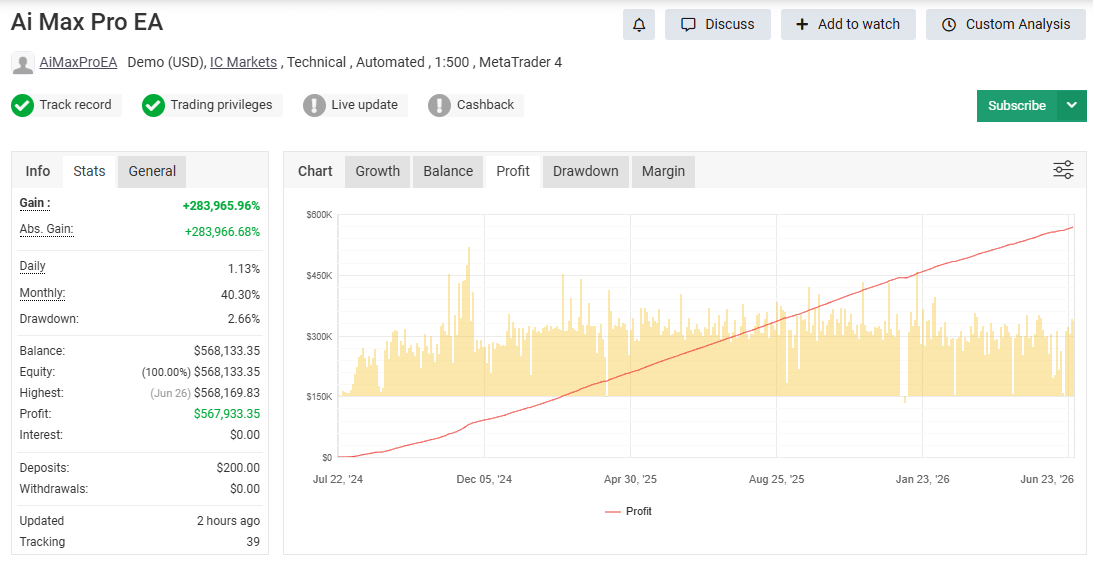
See the official Myfxbook tracking page for the latest available performance data. Use it as the primary live proof reference instead of relying only on screenshots.
Past performance does not guarantee future results.
Start through Telegram admin or WhatsApp for current details and setup guidance.
Check the Myfxbook tracking link and ask questions before making any decision.
Use MT4/VPS guidance and support channels for configuration and onboarding.
“Clean setup support and clear communication. The results link made it easier to review before contacting.”
Verified UserForex Trader“The website explains the EA, support process, and risk points in a simple way.”
MT4 UserAutomation Trader“Telegram and WhatsApp access made the process straightforward.”
Community MemberAi Max Pro EANo. Forex trading is risky. No automated system can guarantee future results.
Use the official Myfxbook button on the website to review the public tracking page.
You can contact through Telegram admin, Telegram channel, or WhatsApp using the official buttons.
Yes. The theme includes Elementor-compatible page templates and a clean full-width layout.
Use the official channels below for product inquiries, setup questions, and latest updates.